
Batch Apply Replacement Credit
This features allows HR admins to add replacement credit for multiple employees at once. Instead of repeating the same update for each staff member, you can now submit in bulk and let the system handle the heavy lifting.
How It Works
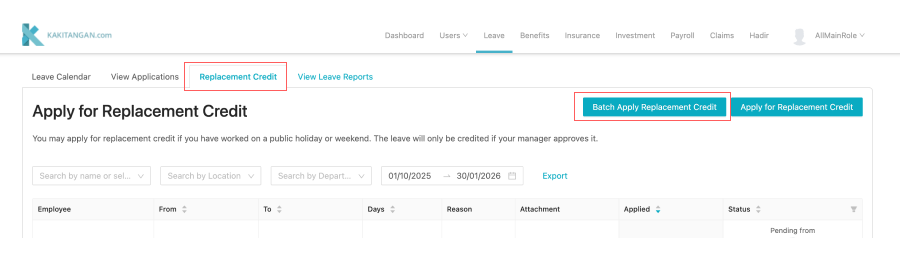
- Go to Leave -> Replacement Credit -> Batch Apply Replacement Credit
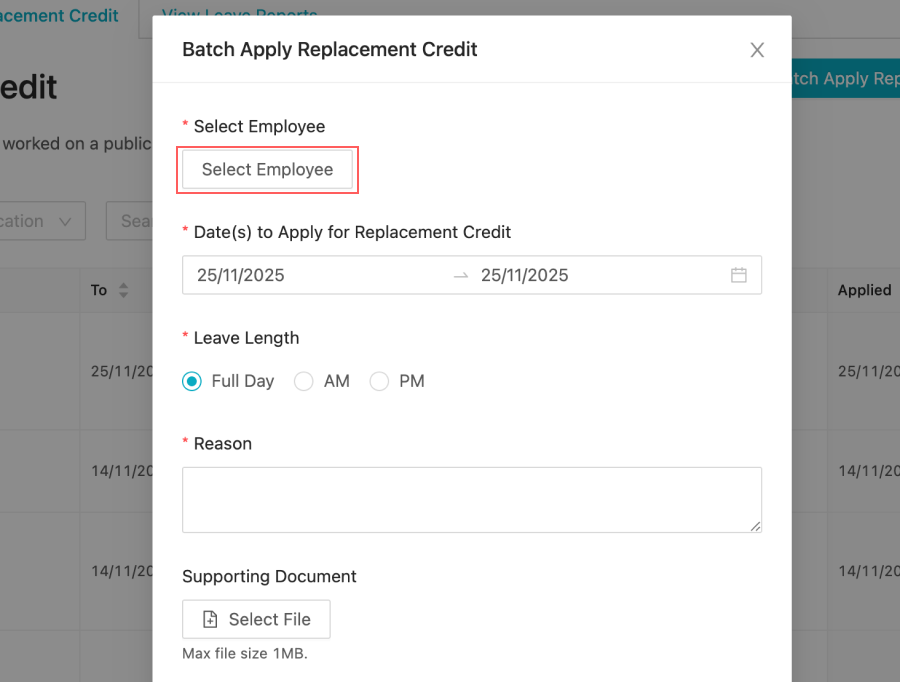
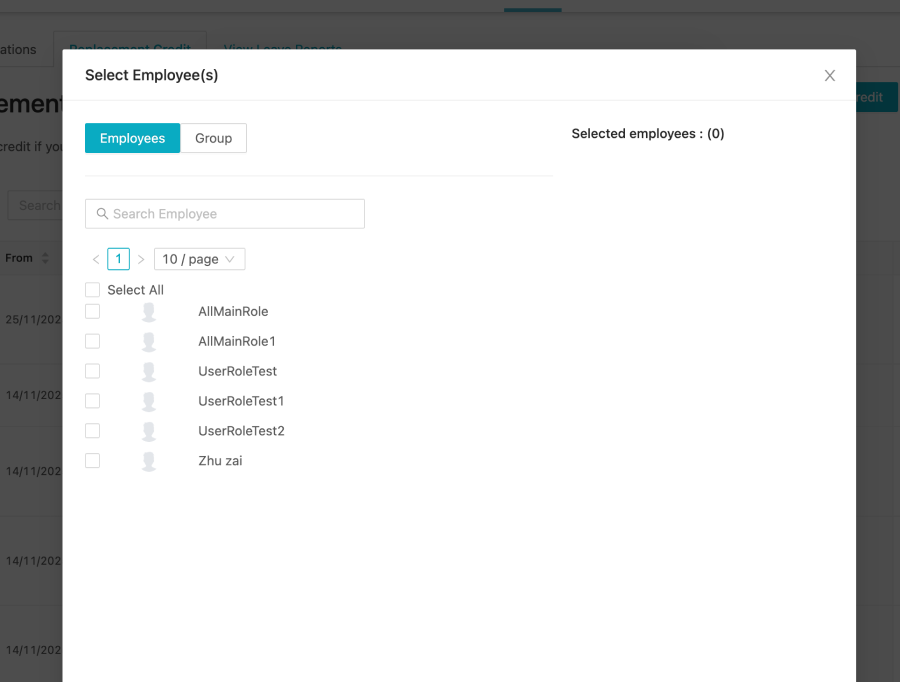
- Select Employees (You may multi-select the employee you want to apply)
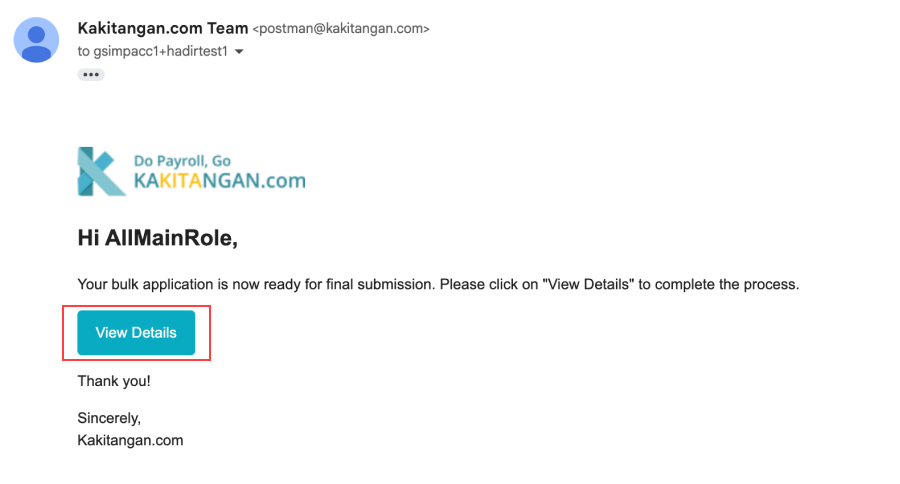
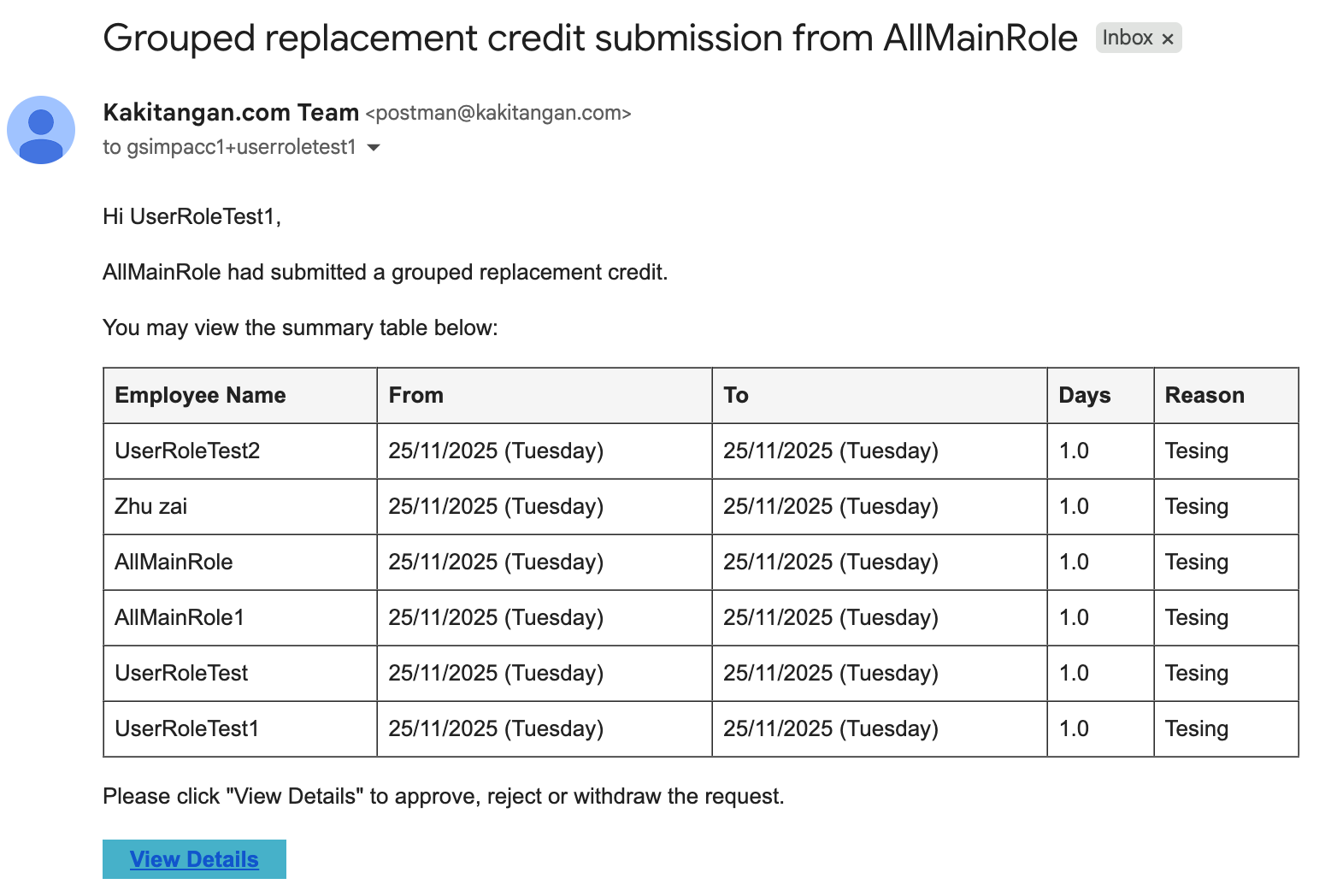
- Once submit, you will receive an email where the bulk application is now ready for final submission. Click `view details` to complete the process.

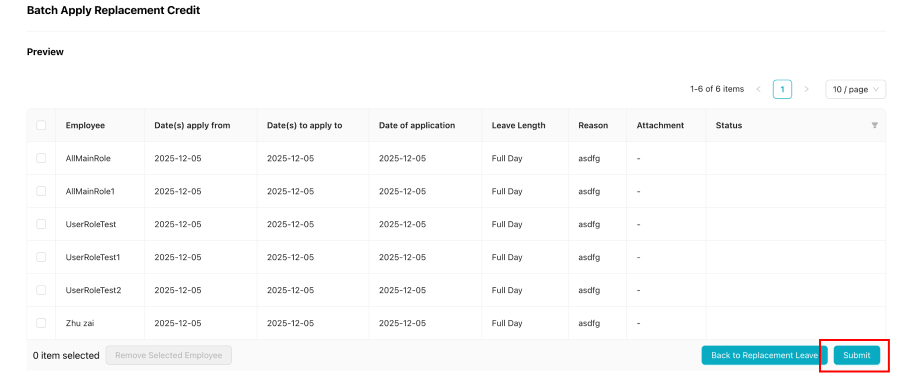
- Click "Submit" button once you have reviewed the details.
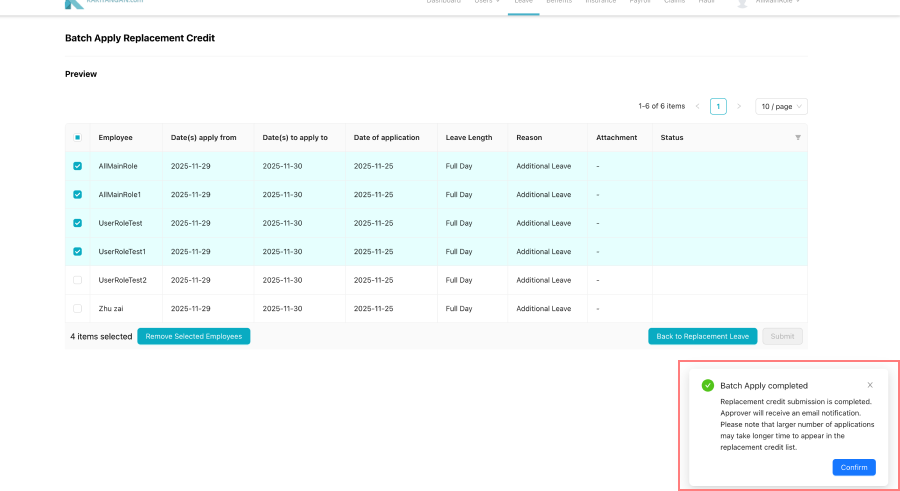
If successfully submit, you will receive a toaster message, and by click confirm, it will bring back to the leave page
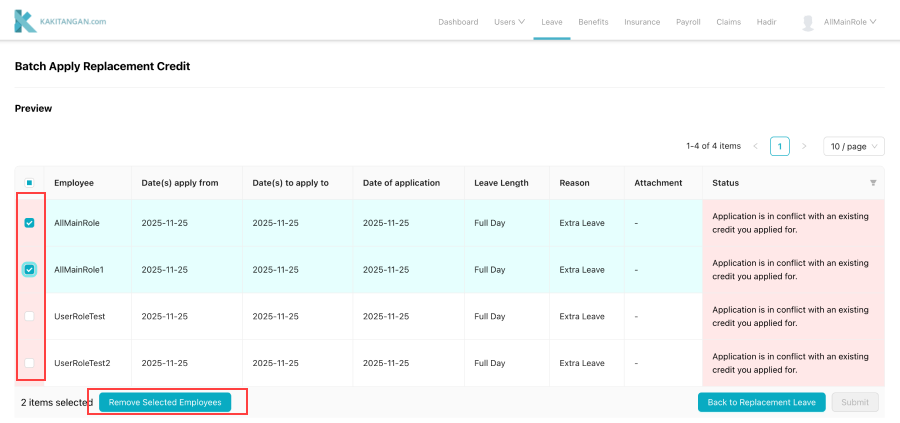
*Note
In case where there's issue on apply to certain employees due to certain reason, may remove the user and submit the application
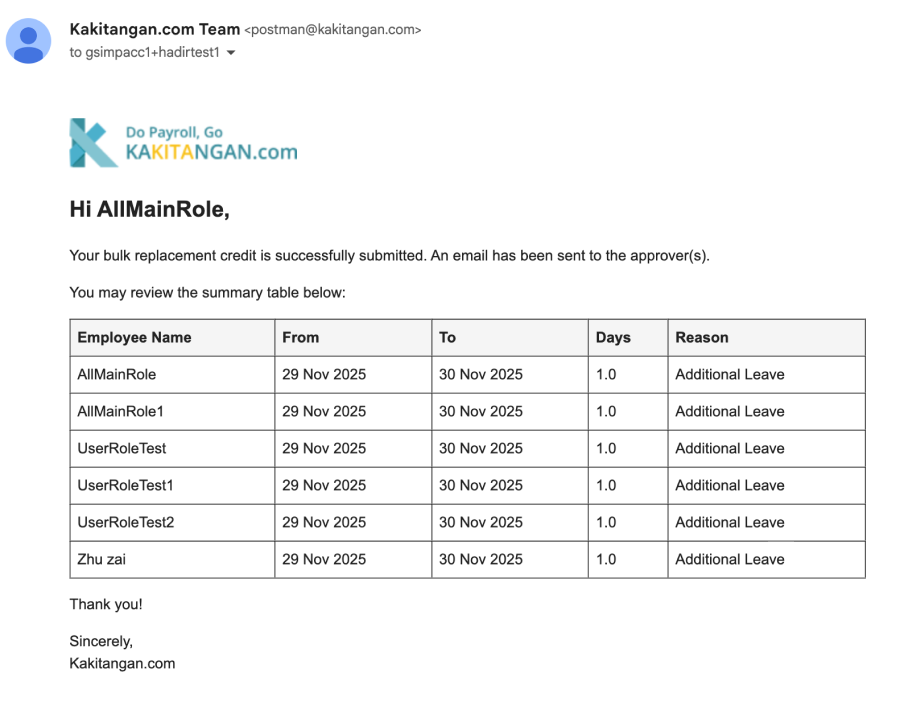
- After successfully submit, you will also receive an email regards about the bulk replacement credit is successfully submitted and will send an email to the approvers.
- Approvers will receive a notification email for them to do actions on the bulk replacement credit
Important Notes
- If there are issues applying the credit to certain employees (e.g., conflict with the dates or account is not yet activate), you may remove those users and proceed with submitting the application for the rest.
- After a successful submission, you’ll receive an email confirming that your bulk replacement credit has been submitted.
- Approvers will also receive a notification email prompting them to take action on the bulk request.
- Approval depends on your company’s Approval Workflow Settings.
About Approval Workflows
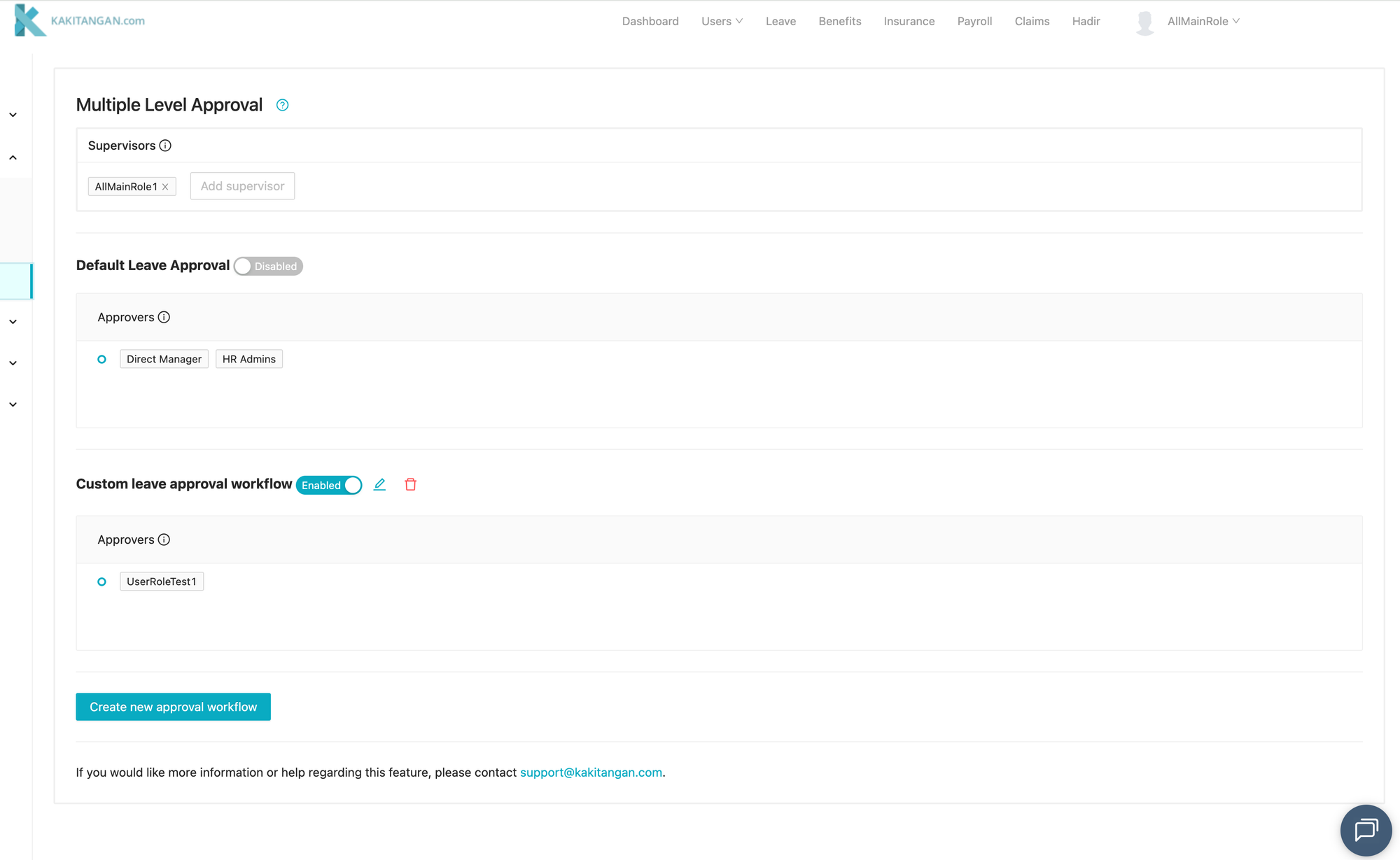
By default, each leave request can only be approved by the Direct Manager or HR Admin.
However, many companies operate differently such as having:
- Multiple approvers for all leave types
- Specific individuals responsible for approving only certain leaves
- Custom routing rules based on role or department
Our customizable Approval Workflow feature allows you to configure these rules to match your company’s real structure.
Learn more here:
👉 https://blog.kakitangan.com/leave-how-to-customize-approval-workflows/