New EPF contribution rate of non-malaysian in 2025
Starting 20th Sept 2025, EPF will automatically register non-Malaysian employees who have valid Temporary Employment Visit Pass (PLKS) or Employment Pass (EP).
Please note that :
(a) No manual registration is needed by employers.
(b) Employers will receive a Notification of Automatic Registration with the list of employees registered.
(c) Employers can also check employee EPF numbers via i-Akaun (Employer) under “Register EPF Member”.
For step-by-step instructions, refer to EPF’s guide:
👉 Easy Guide for Non-Malaysian Citizen at i-Akaun (Employer) Web Portal
👉 Easy Guide for Non-Malaysian Citizen at i-Akaun (Employer) Mobile Apps
When the EPF contribution will be takes effect?
The new EPF rate (2%) applies to October 2025 salary, and the EPF contribution must be paid on or before 15th November 2025.
For more information, please refer :
Contribution For Non-Malaysian Citizen Employees
(i) Who will be get involved
(ii) How to generate EPF txt file for submission on system
Who will be get involved
(i) Non-Malaysian employees – All employees below 75 years old with valid work passes.
(ii) Employers – Any employer who hires the above group of employees.
How Kakitangan.com helps and what should I do?
If the employee (non-malaysian) following the minimum 2%:
-
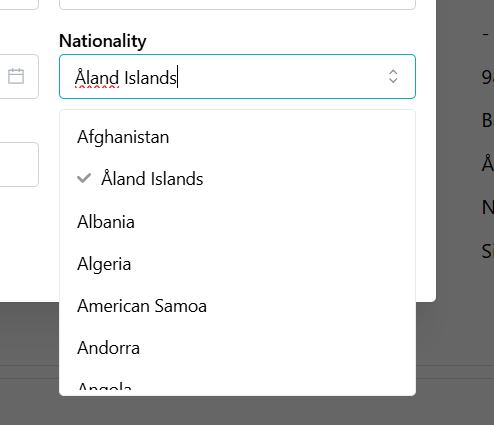
Please make sure the employee's nationality is NOT Malaysia under user profile. (Go to User profile > select employee name > Personal info > Nationality)
-
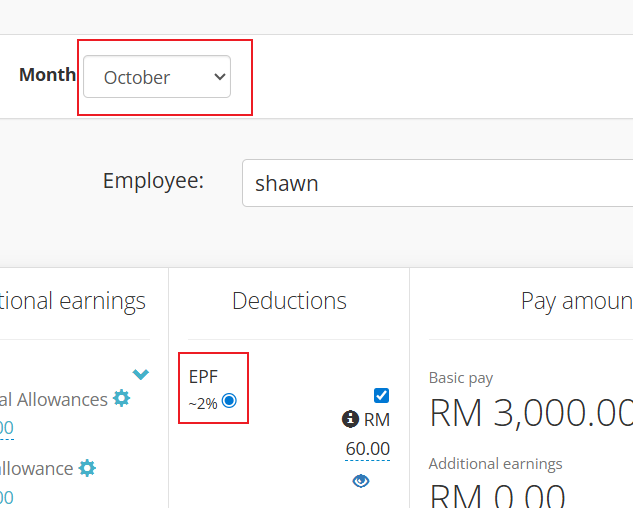
Starting October 2025, Kakitangan.com will update the new statutory rate as per compliance.
Please recalculate the payroll by untick/retick and refresh the page to see the outcome.
-
After finalize your payroll, pay EPF as usual.
If the employee (non-malaysian) opt for higher rate, eg : 11%
- Employees need to fill up the KWSP 17A/ 18A (AHL) form to maintain the contribution rate of 11% which is now available at here.
- The employer must then submit an application to contribute above the statutory rate via i-Akaun (Employer).
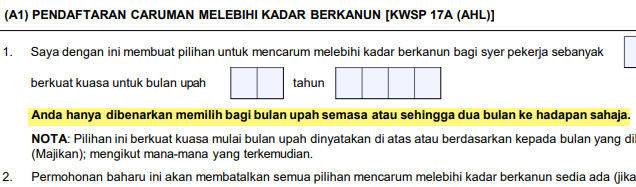
- When you submit the form, you must choose the month for the new (higher) contribution to start.
It can only begin from:
(a) The current month’s salary, or
(b) salary month within the next 2 months.
Example:If you submit the form on October, you may start EPF contribution in October, OR November, December.
Please refer section A1(1) in the KWSP 17A/ 18A (AHL) form for more information.
After you have submitted the KWSP 17A/ 18A (AHL) form to the EPF portal, you may back to Kakitangan.com to process your payroll.
In Kakitangan.com,
-
Please make sure your non-malaysian employee's nationality is NOT Malaysia under user profile.
-
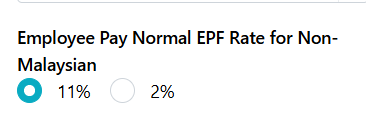
Go to User profile > select employee name > compensation > STATUTORY DEDUCTIONS AND CONTRIBUTIONS > edit > Employee Pay Normal EPF Rate for Non-Malaysian > choose "11%" > save.
-
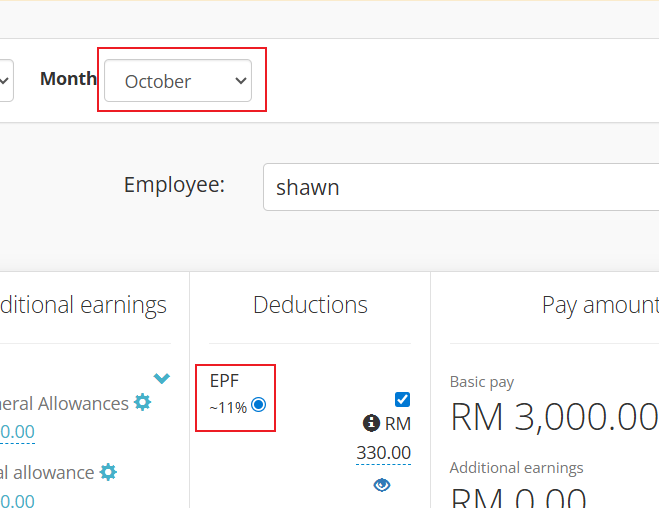
In order to reflect in the payroll calculator, please recalculate the payroll by untick/retick and refresh the page to see the outcome.
How to generate EPF txt file for submission
There are new EPF ZIP File available on Kakitangan.com as per updated on 26th Nov 2025.
Employers with a larger number of non-Malaysian employees required to submit separate EPF TXT files.
This update is mainly to split contributions for Malaysian and non-Malaysian employees.
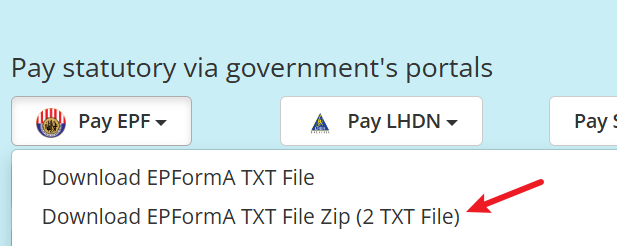
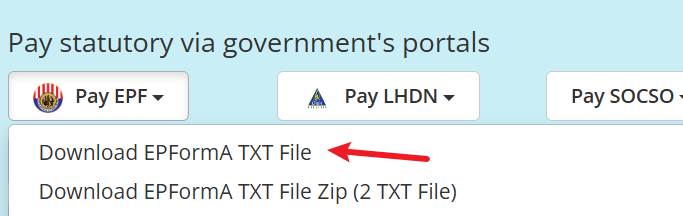
To support this, you can download the new EPF ZIP file via:
Payroll > View Report > Pay EPF > Download EPFormA (ZIP – 2 TXT Files)
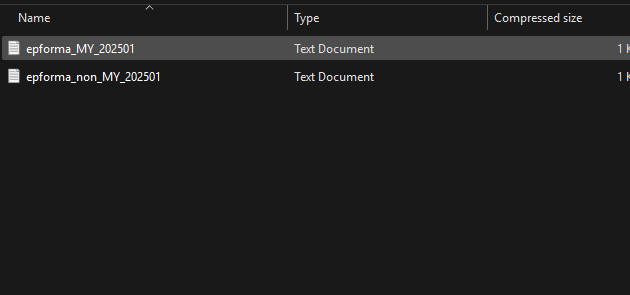
The ZIP file contains:
epforma_MY — Malaysian employees
epforma_non_MY — Non-Malaysian employees
What you should do next
👉 Check whether EPF personnel has emailed you an additional employer EPF number for non-Malaysian employees.
If yes:
Add the new number under Company Settings and use the new ZIP file.
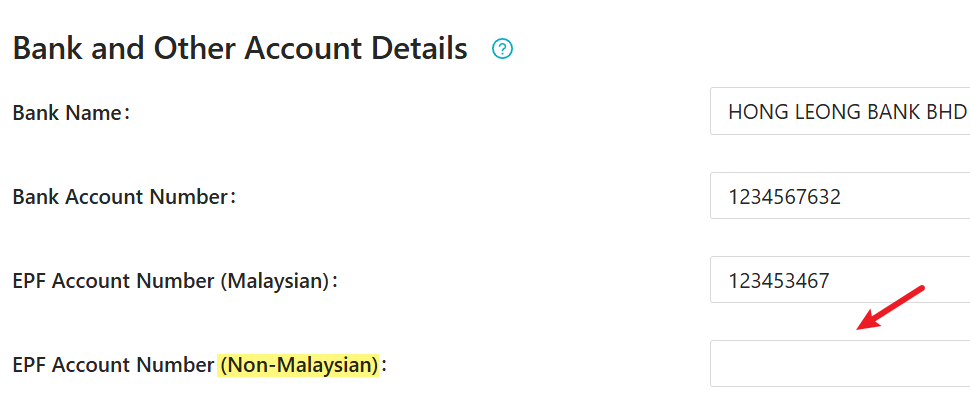
If no:
You may continue using the existing combined file when generate txt file
Hope it helps :)
 Kakitangan Blog